Photo by Thomas Jensen on Unsplash
Managing your home network efficiently and conveniently is a goal many homeowners share. Often, the main setup for your internet connection and LAN distribution is located in an inconvenient spot, like a laundry room. In this article, we’ll guide you through the process of moving your network setup from your laundry room (Room 1) to a more accessible location, like Room 4, using VLAN (Virtual Local Area Network) technology. This approach not only eliminates the need for extra wiring but also allows you to manage your network seamlessly from a more comfortable and user-friendly space.
Understanding Managed Switches and VLAN Technology:
Before we proceed, let’s understand the key components of this setup — managed switches and VLAN technology.
Managed Switches: A managed switch is an advanced network switch that provides more control and flexibility over data flow. Unlike unmanaged switches, which are plug-and-play devices, managed switches allow administrators to configure ports, monitor traffic, and implement security features. This level of control is vital for creating efficient and secure networks in complex environments.
VLAN Technology: VLAN is a powerful networking concept that virtually divides a physical network into multiple isolated logical networks, each acting as its own independent network. Devices within a VLAN can communicate with each other as if they were connected to the same physical switch, even if they are connected to different switches. VLANs offer improved security, efficient network management, and traffic segmentation.
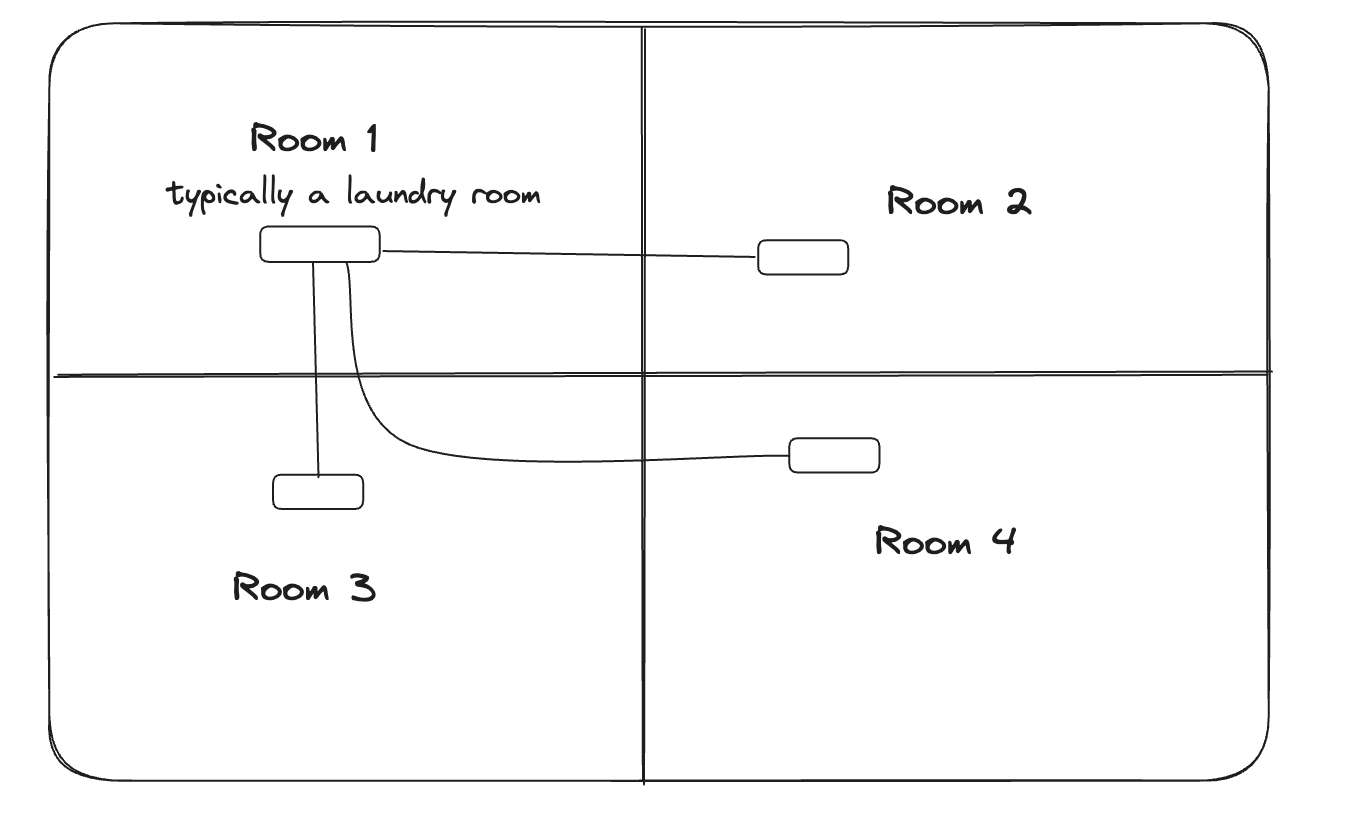
Typical home network setup
Evaluating the Setup
Before you begin the migration, carefully examine the existing setup in Room 1. You have a managed switch A with LAN ports connecting to each room and the internet cable connected to the WAN port. Your goal is to shift this setup to Room 4 while maintaining the network’s integrity and performance.
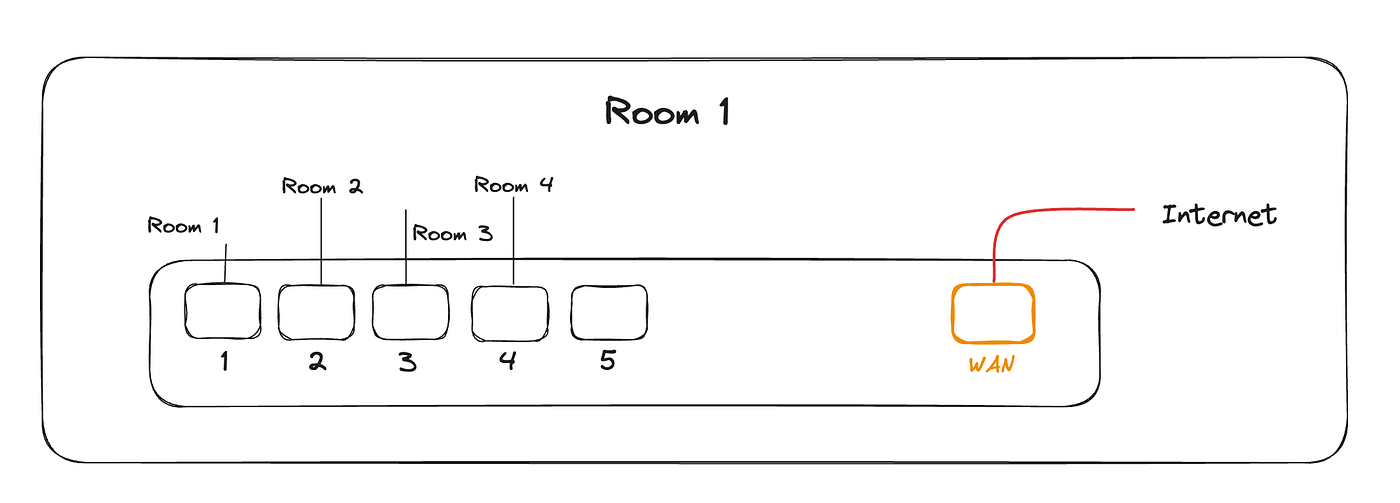
Home network setup with a single router/switch
Setting Up VLANs
- Access the web interface of managed switches A and B using their respective IP addresses.
- Create a new VLAN (e.g., VLAN 10) on both switches. Assign unique VLAN IDs to avoid conflicts.
- Assign VLAN 10 to LAN port 5 on both switches. This port will serve as the inter-switch connection.
- Ensure that all other ports remain untagged in the default VLAN.
Reconfiguring Room 1 Switch (A)
- Disconnect the internet cable from the WAN port of switch A (Room 1).
- Connect the internet cable to LAN port 5 of switch A (Room 1), configured for VLAN 10.
- Connect Room 1 to port 1, Room 2 to port 2, and Room 3 to port 3 on switch A.
Reconfiguring Room 4 Switch (B)
- Connect LAN port 4 of switch B (Room 4) to the WAN port of switch A (Room 1).
- Connect LAN port 5 of switch B(which is configured as VLAN 10) to the WAN port of same switch B.
- Connect Room 4 to port 1 on switch B.
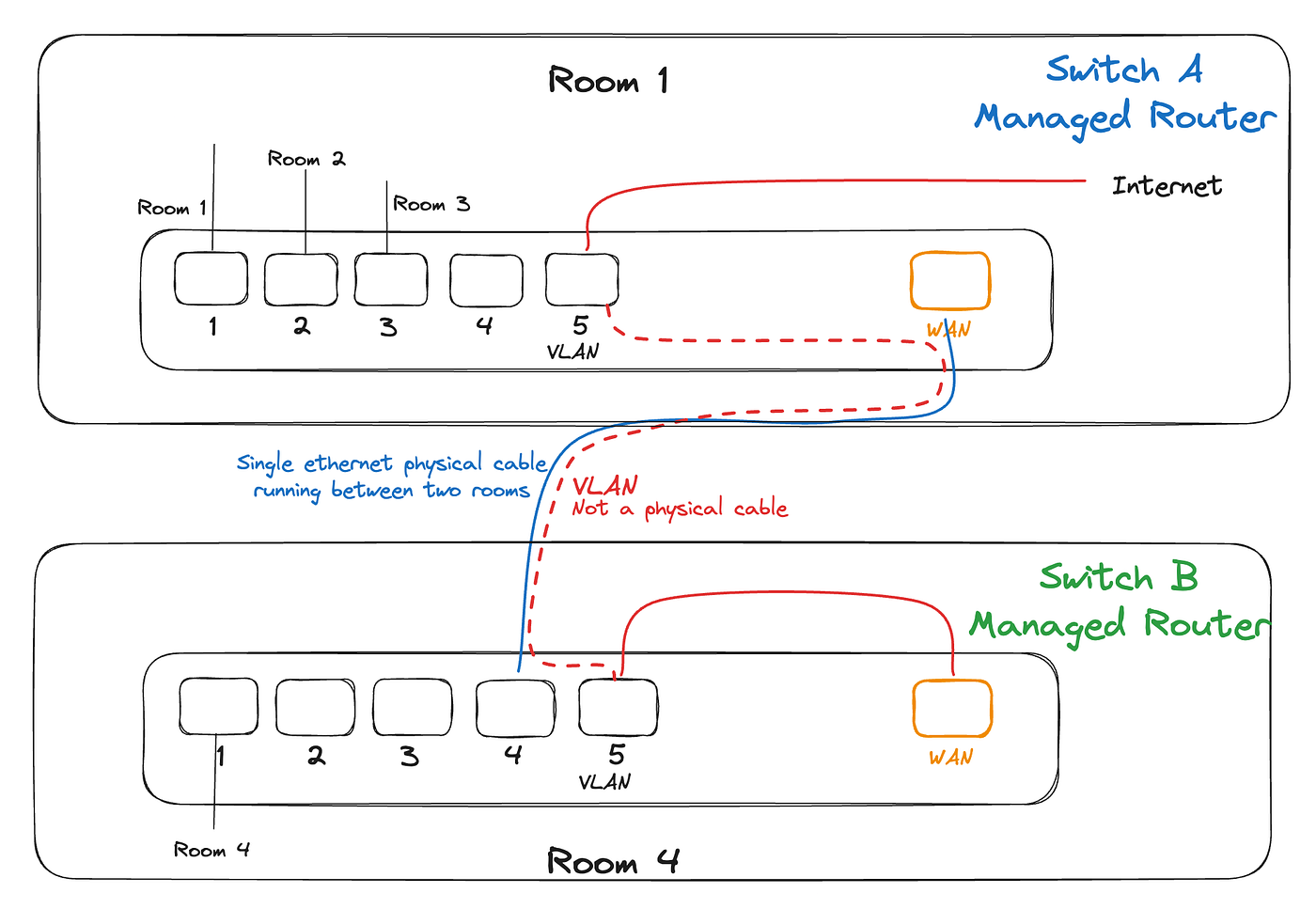
Verifying Connectivity
- Power on both switches and connected devices.
- Ensure all devices in each room can access the internet and communicate with each other.
- Confirm that the inter-switch connection (port 5 on both switches) is functioning as intended.
Benefits of the New Setup
- Centralized Management: Now, your network setup is located in a more convenient location, Room 4, allowing easy access for any necessary adjustments or troubleshooting.
- Reduced Wiring Complexity: You’ve eliminated the need for extra wiring by leveraging VLAN technology, saving time and resources.
Troubleshooting
- If you encounter connectivity issues, double-check VLAN configurations on both switches.
- Ensure that all cables are securely connected to the correct ports.
- Verify that VLAN settings are consistent across both switches.
Conclusion
By utilizing VLAN technology and repositioning your home network setup from the laundry room to a more accessible location, you’ve successfully streamlined your network management. This centralized approach to network management not only eliminates extra wiring but also improves overall network performance. By incorporating VLANs, you benefit from enhanced security and better organization of your network. This method demonstrates how moving a network setup and employing VLANs can simplify and optimize your home network, providing a well-organized and efficient connectivity solution that meets your needs while minimizing complexity. This approach showcases the power of technology in enhancing everyday convenience and highlights the numerous benefits of using VLANs in your home network setup.